A new discovery (at least for me) – HDR or High Dynamic Range Images.
See Wikipedia – HDR for a good definition.
The idea is to take bracketed exposures of the same image and merge them to increase the image’s dynamic range. I’d planned on doing one by hand this spring at the cabin to balance the inside light with the outside light. Then I discovered that Photoshop will do it for me. How cool is that?
To try it out I found a couple of pictures I took at the Reception Center where my sister was married in March. I pulled up the HDR function in PS3 (File – Automate – Merge to HDR), selected the pictures to merge and let it do its thing. It did a good job. What was really cool, I shot these using a monopod so they weren’t perfectly aligned. The merge process did an amazing job lining them up.
I noticed the difference mostly in the shadows. They are much richer in detail. Some detail in front of the blown out windows was defined better. What didn’t happen, which I expected, is that my blown out windows didn’t fill in. The darkest exposure actually had detail outside the windows, but it didn’t pick that up in the merged image.
The first set I did from 3 pictures:


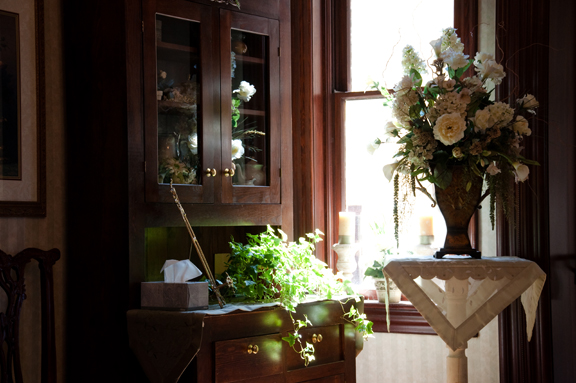
Here’s the HDR:

The next set I did from 2 pictures (because that’s all I had). The result wasn’t as strong, but there is a difference:

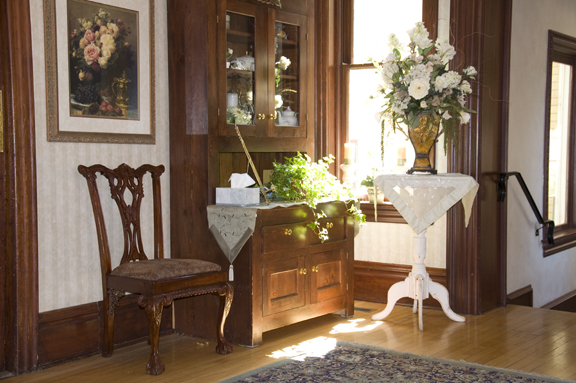
Here’s the HDR:

I finished with basic Level Adjustment and White Balance on the final image.
I wasn’t sure how visible it would be in a low-res web image (these are at 96 ppi) but it is still there.
I love this effect.